 TimeBoard
Your timesheet, drafted from monday.com. You approve it.
Nobody remembers to press Start. TimeBoard reads what you actually did in monday, drafts your day, and asks for one tap. Then it finds the hours nobody logged and writes the invoice text.
The timesheet that fills itself in
Every other time tracker starts from a blank timer. TimeBoard starts from what already happened in monday, and only logs what a person approves.
My day drafts your timesheet
Each evening TimeBoard drafts your day from your own status changes, updates and edits in monday. One tap approves it.
Finds the hours nobody logged
The Missing hours tab lists items that moved but have no time logged. The Problems tab catches forgotten timers, duplicates and gaps. Fixed in one click.
Writes the invoice text
Open the Invoice text tab, pick a tone, and TimeBoard writes the client-ready summary from real entries, with line items. Never invented hours.
Everyone gets their own timer
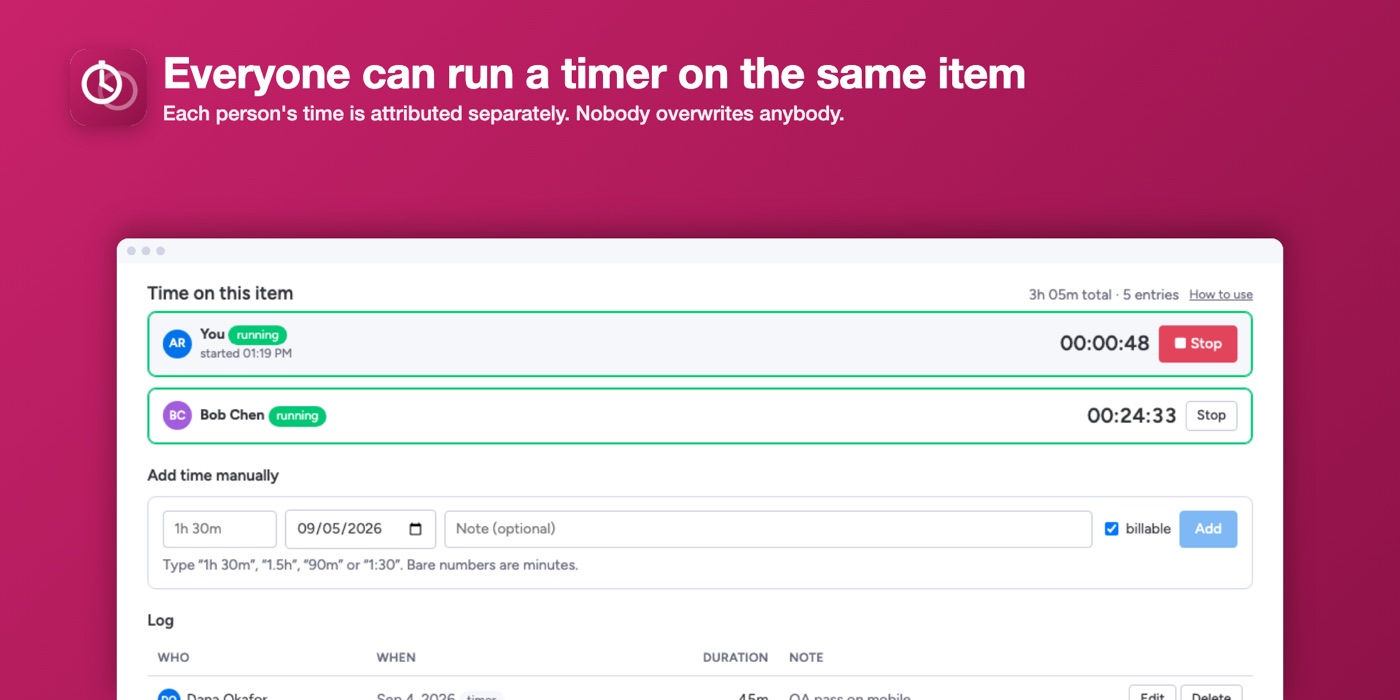
A designer and a developer can both time the same item. Each person’s time is attributed separately and never overwritten.
Typed hours
Missed the timer? Type 1h 30m, 90m or 1:30, pick the day, add a note. Done in five seconds.
Per-person rollups
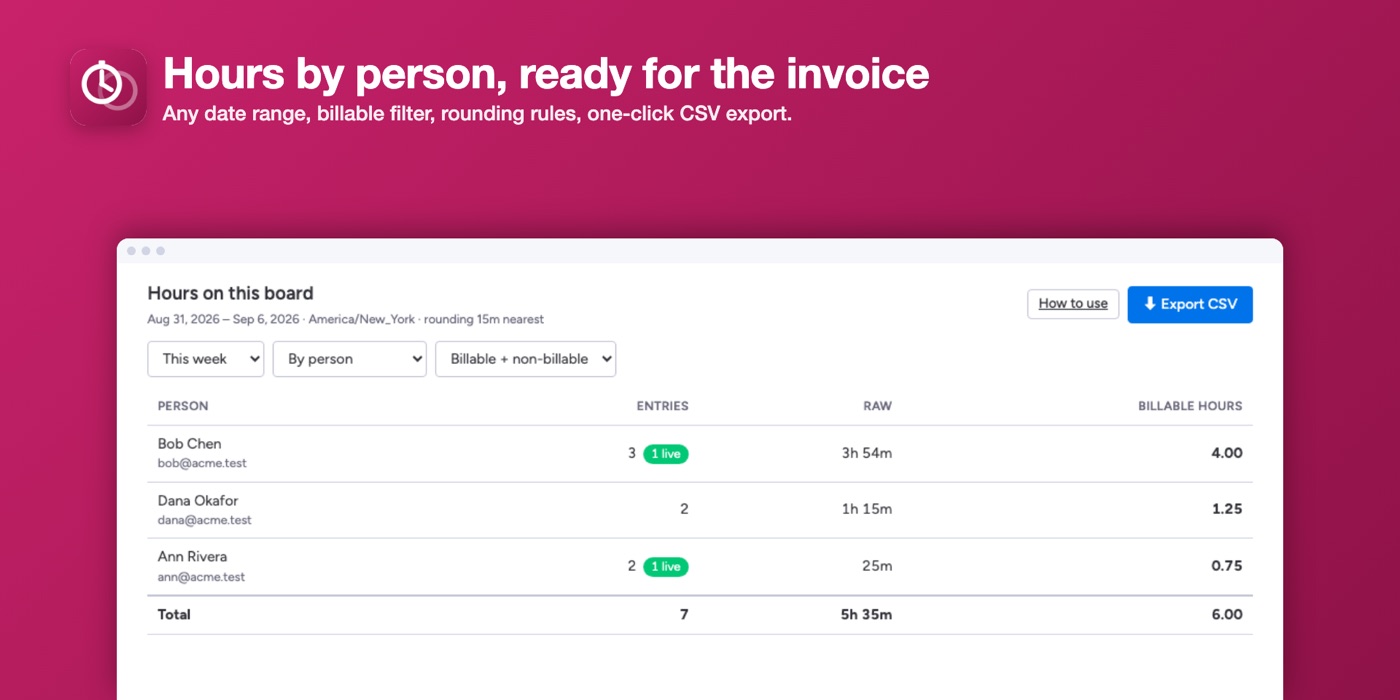
Hours by person, item, or day for any date range, with a billable filter, rounding rules, and one-click CSV export.
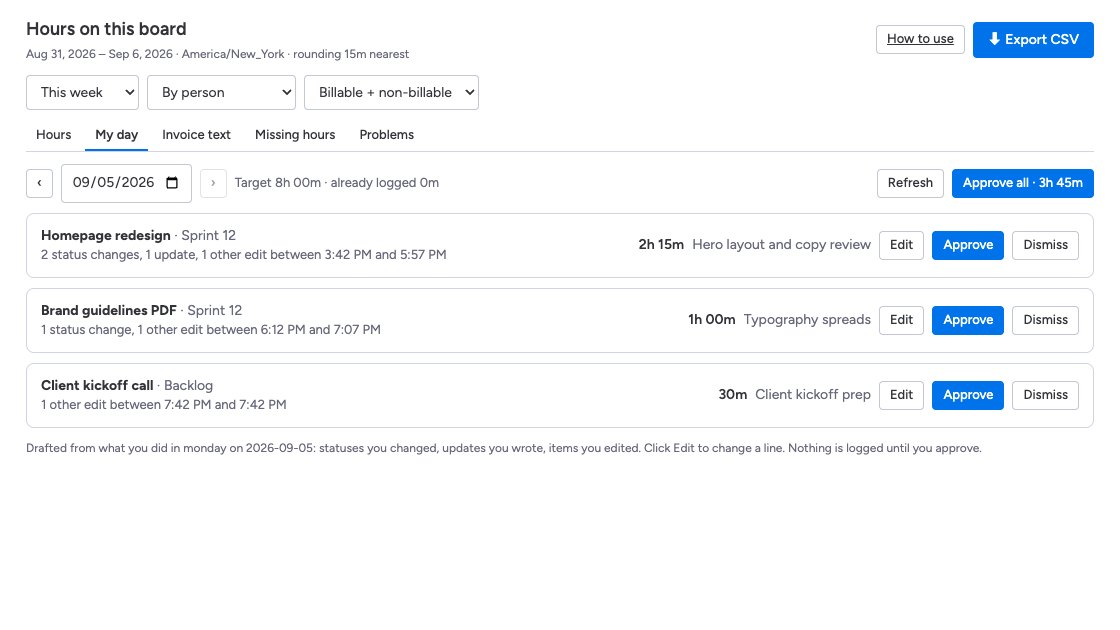
Approve your day instead of logging it
The My day tab looks at what you did in monday today: statuses you changed, updates you wrote, items you edited. It drafts a timesheet, skips anything you already logged, fits it to your usual day, and sends a notification when it is ready.
- Every line is editable before you approve
- Nothing is logged without your tap
- Learns your typical day after a week
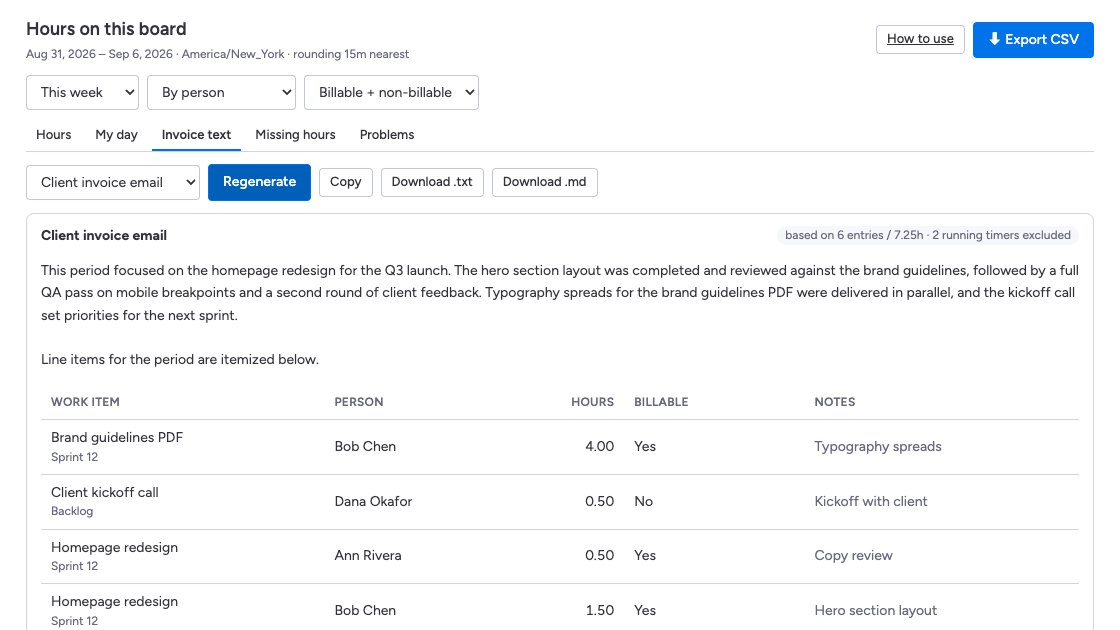
The invoice text writes itself
Choose a period, a tone (client invoice email, internal summary, formal SOW hours) and TimeBoard writes the story of the work from the entries, with computed line items underneath. Copy it, or download .txt or .md.
- Every number is computed from logged time, never guessed
- Running timers are left out until they stop
- Turn AI off for the whole account in one switch
Find the hours nobody logged
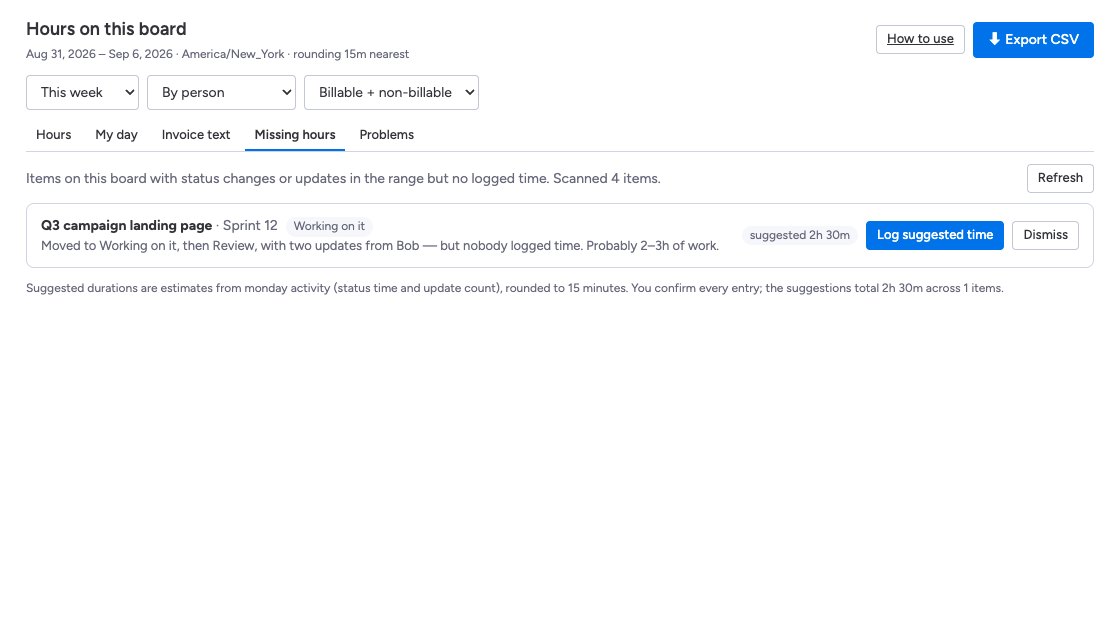
The Missing hours tab ranks items that changed status or got updates but have zero hours, and suggests a duration you confirm in one click. The Problems tab catches forgotten timers, entries that crossed midnight, duplicates and billable work with no note.
- Stop a forgotten timer or notify its owner
- Plain-English explanation for every flag
- Mark reviewed to keep the list clean
Everyone can time the same item
Pair work, QA on a dev ticket, three people on a client call. Every timer runs on the server, so it keeps counting if someone closes the tab.
- Unlimited people per item
- Stop your own timer without touching anyone else’s
- Every entry posts an update on the item so PMs see hours in monday
Hours by person, ready for the invoice
Open the board view, pick a range, group by person. Toggle billable. Export a CSV that opens cleanly in Excel or Google Sheets with raw seconds and rounded hours side by side.
- This week, last month, or any custom range
- Round each entry to 6, 15, or 30 minutes, up, down, or nearest
- Optional “Hours” numbers column for native dashboards
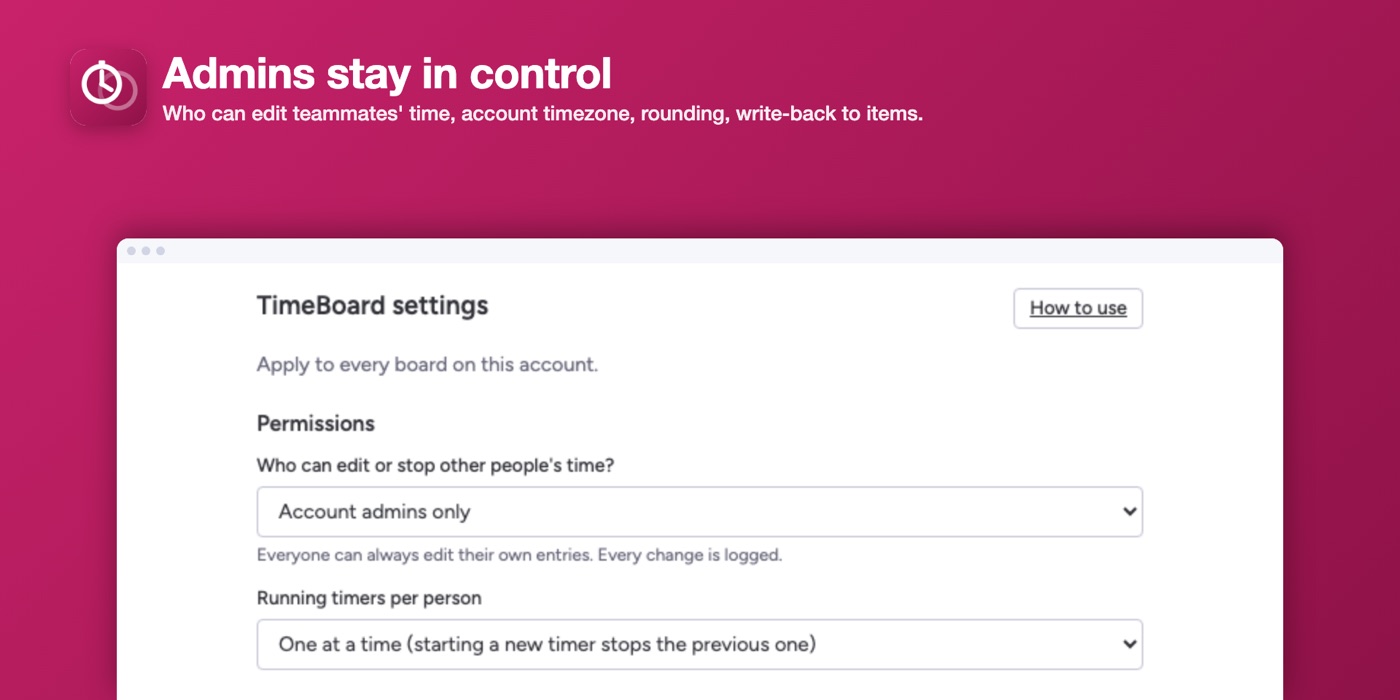
Admins stay in control
Decide who may edit teammates’ time, set the account timezone, and choose rounding. Every edit is logged with before and after.
- Admins only, board owners, or everyone
- One timer per person, or several at once
- Viewers see hours but can’t log time
Up and running in two minutes
No configuration. No column mapping. Nothing to migrate.
Simple, seat-based pricing
One plan with everything, AI included. Billed through the monday.com Marketplace, so it lands on the invoice you already pay.
$90 per seat per year on the yearly plan (two months free). Volume discounts apply automatically for larger accounts.
Start 14-day free trial- Unlimited timers and manual entries
- Overlapping timers per person
- Autopilot daily timesheets with one-tap approval
- Invoice text, Missing hours and Problems tabs
- Rollups by person, item, and day, CSV export
- Hours written back to items
- Admin permissions, timezone, rounding, AI switches
- Email support
Questions
Does it replace monday.com’s time tracking column?
No. It runs alongside it. Keep the native column if you like; TimeBoard adds per-person timers, typed hours, and the billing rollup on top. If you turn on the optional “Hours (TimeBoard)” numbers column, your existing dashboards and formulas keep working.
Does it take screenshots or monitor activity?
Never. TimeBoard records only what people explicitly log: start, stop, typed durations, and notes. Autopilot reads your own activity inside monday.com (status changes, updates, edits) to draft a timesheet you approve. No screenshots, keystrokes, URLs, or anything outside monday.com.
Can Autopilot log time on its own?
No. It drafts, you approve. Every proposal is editable, and dismissed items stay dismissed. Admins can turn Autopilot and the AI features off for the whole account.
What does the AI see?
Only the typed text, item names, hours, notes and activity counts for the range you pick. Prompts and answers are not stored. Every number in the invoice text is computed from logged time; the model only writes the prose.
What data do you store?
Time entries, item and board names, and the names and emails of people who log time. Names and emails are encrypted at rest, and all data is deleted within 10 days of uninstall. See the privacy policy.
Who can edit someone else’s time?
By default only account admins. You can widen that to board owners or everyone. Every edit is logged with the previous value.
Does it work for guests and viewers?
Guests can log their own time. Viewers can see hours but not log time, since monday viewers can’t write data.
How is it billed?
Through the monday.com Marketplace, per seat on your account, with a 14-day free trial. Cancel anytime from monday’s billing page.